Color Correcting the Dragon Box - 3 Part Spectacular

Discussion regarding the entirety of the franchise in a general (meta) sense, including such aspects as: production, trends, merchandise, fan culture, and more.
Locked
User avatar
Ashura
OMG CRAZY REGEN
Posts: 763
Joined: Sat Mar 26, 2011 8:05 pm

Re: Color Correcting the Dragon Box - 3 Part Spectacular

Post by Ashura » Mon Oct 08, 2012 10:09 am

superrayman3 wrote:
ect5150 wrote:Plus the promos and trailers didn't all go through the same remastering process (I think the GT Special was crap if I remember correctly). This is why I'm asking for animation cels.
Maybe the Promo's didn't need to go through the same remastering process as everything else because they were just fine from the start just my 2 cents.
My guess is that most of the promos are on video while the films were on, well, film. Thus why the colors on the promos hold up better.

If you guys are looking for reference, you can either use the Dragon Book that came with the Dragon Box, or you can look at some of the anime guides. I can't recall the titles for them, but Kei had given me a list a while back and might share with everyone else.

While these are cels converted to CYMK, they're pretty helpful anyway... since it's one of the few references there are.

I currently don't have a lot of time to keep up with this thread, but I'm glad you guys are experimenting and improving the process.

My favorite movie henchman is Sancho.

Follow my stupid crap on Twitter. Please note, I do not have time to reply to any PMs about color correction methods anymore; sorry about that.

[ Hoyoyo! Please pick up our Dr. Slump DVD! ]

User avatar
Cold Skin
I Live Here
Posts: 2724
Joined: Fri Jun 05, 2009 6:09 pm
Location: France

Re: Color Correcting the Dragon Box - 3 Part Spectacular

Post by Cold Skin » Mon Oct 08, 2012 4:42 pm

It's really weird for me to see how yellowish some released footage can be.
When we see Ashura's work, we can wonder why a professional company didn't apply that kind of color correction...

I know that authenticity matters, but it would be like releasing photographs that have gone yellow through time.
Yes, that's how time naturally has a hold on things and it's authentic, but no, it doesn't feel like the way it was intended to be seen when created and it's not the authentic original vision of the staff...
I know I wouldn't dare officially releasing something that has deformed colors without having even just a simple process used to remove some of the damages caused by time on the material.

Or maybe I'm wrong and the original footage was yellowish like that to start with, but that seems unlikely.
The fact that Kai showed footage that seemed to have totally normal, non-yellow colors even on the many non-redrawn scenes seems to indicate that it's not very complicated to restore the right colors for professionals.

superrayman3
OMG CRAZY REGEN
Posts: 862
Joined: Thu Oct 13, 2011 10:29 am
Location: West Virginia USA

Re: Color Correcting the Dragon Box - 3 Part Spectacular

Post by superrayman3 » Mon Oct 08, 2012 5:49 pm

Cold Skin wrote:It's really weird for me to see how yellowish some released footage can be.
When we see Ashura's work, we can wonder why a professional company didn't apply that kind of color correction...
Maybe Toei just doesn't care what happens to the film as long as they can still use it.
Cold Skin wrote:I know that authenticity matters, but it would be like releasing photographs that have gone yellow through time.
And this is a good point.
Cold Skin wrote:Yes, that's how time naturally has a hold on things and it's authentic, but no, it doesn't feel like the way it was intended to be seen when created and it's not the authentic original vision of the staff...
That's another good point, just because something is authentic doesn't always mean that it holds the original artistic vision of the original source properly, and in the case of the DBOX footage (with the supposed exception of the trailers and promos) while the film used is authentic the color information on said film do not represent what the original artists wanted to see.
Cold Skin wrote:I know I wouldn't dare officially releasing something that has deformed colors without having even just a simple process used to remove some of the damages caused by time on the material.
I wouldn't release something a product that doesn't do the original justice either but some people have a different way of going about doing releases.
Cold Skin wrote:Or maybe I'm wrong and the original footage was yellowish like that to start with, but that seems unlikely.
The chances of that being the case are slim to none considering all the evidence showing otherwise.
Cold Skin wrote:The fact that Kai showed footage that seemed to have totally normal, non-yellow colors even on the many non-redrawn scenes seems to indicate that it's not very complicated to restore the right colors for professionals.
For complete novices it would be hard as hell to do a proper color correction but for professionals like Toei had your right it's shouldn't be all that complicated.
If anyone has any of the DB/DBZ/DBGT or Maho Tsuaki Sally Japanese single DVD's that they'd be interested in selling send me a PM and I'll see if we can work something out. ;).

User avatar
ect5150
Advanced Regular
Posts: 1063
Joined: Fri Sep 15, 2006 9:17 pm
Location: Tenkaichi Tournament Grounds

Re: Color Correcting the Dragon Box - 3 Part Spectacular

Post by ect5150 » Mon Oct 15, 2012 5:30 pm

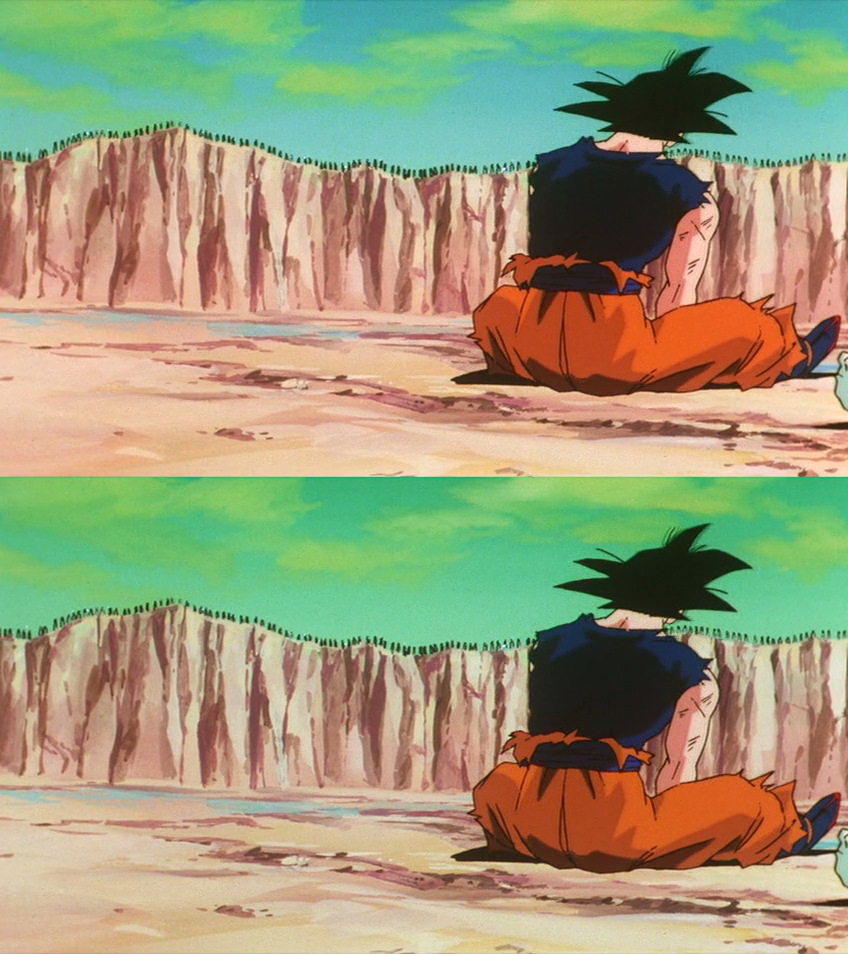
More progress! This time I've altered more colors and overcome a semi-major hurdle. I don't want to declare absolute victory, but I might have a really good solution for getting rid of the artifacts all together.

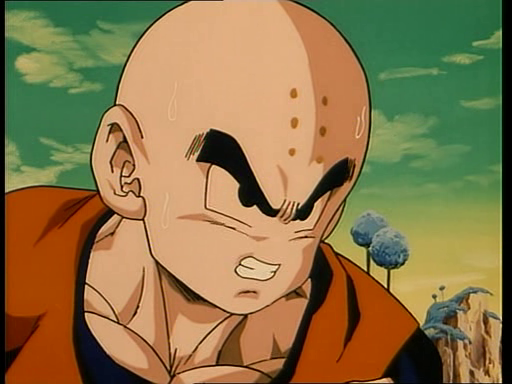
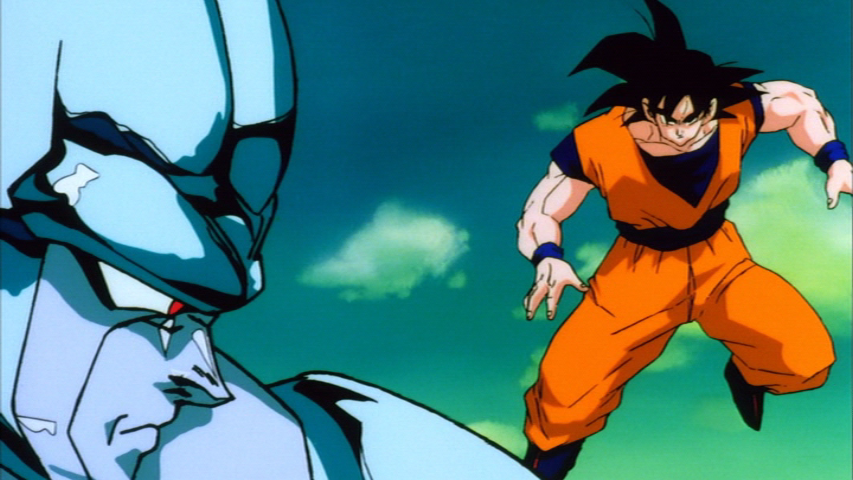
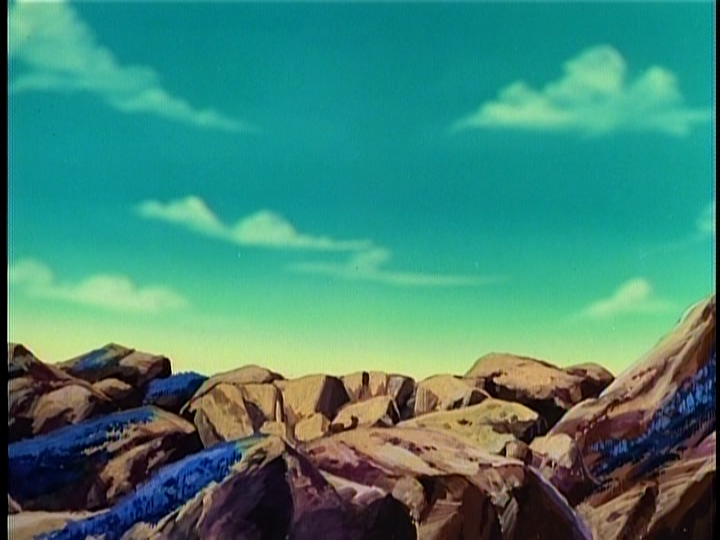
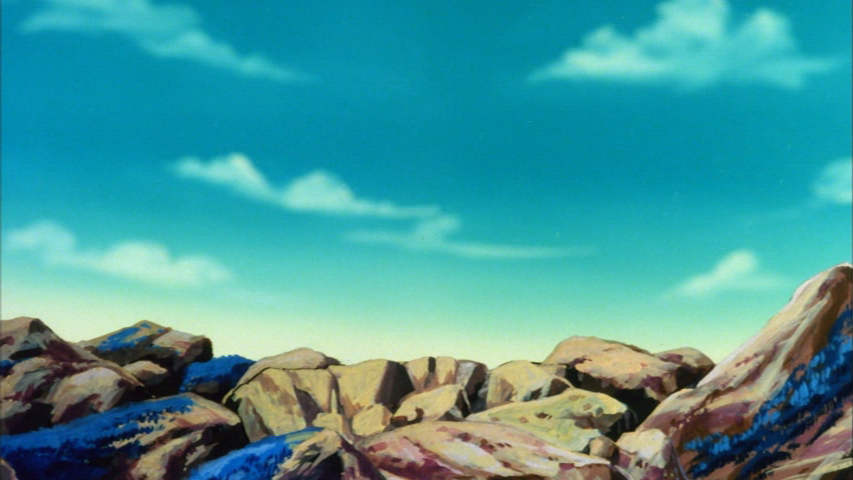
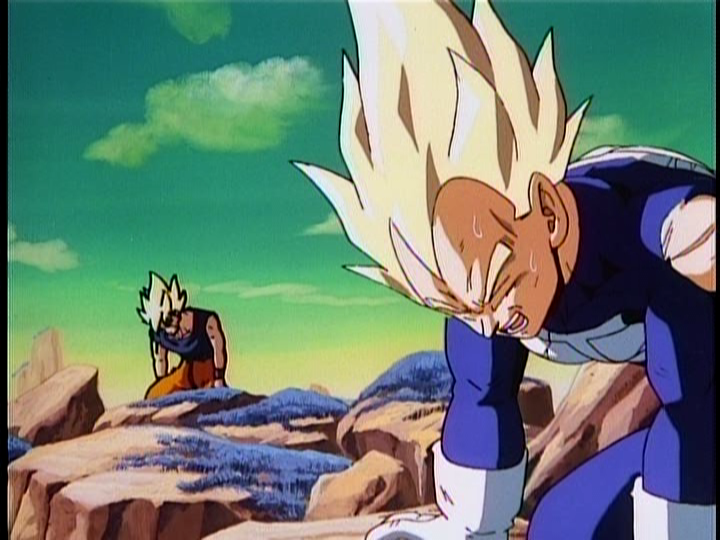
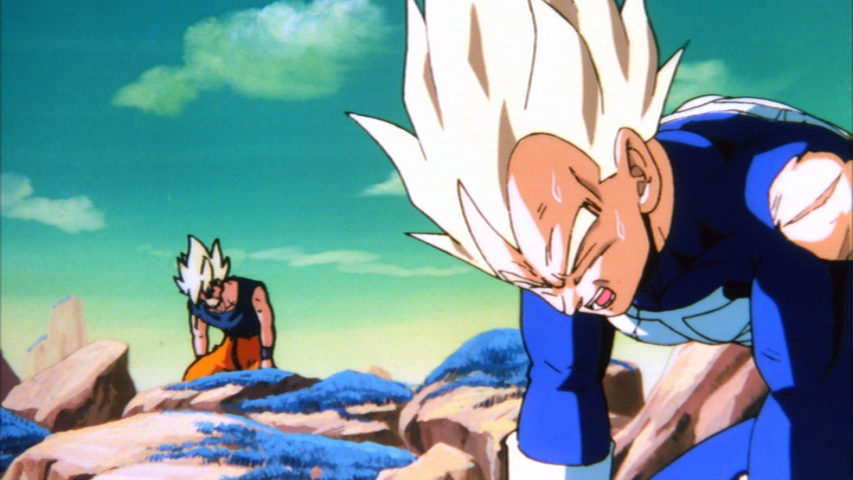
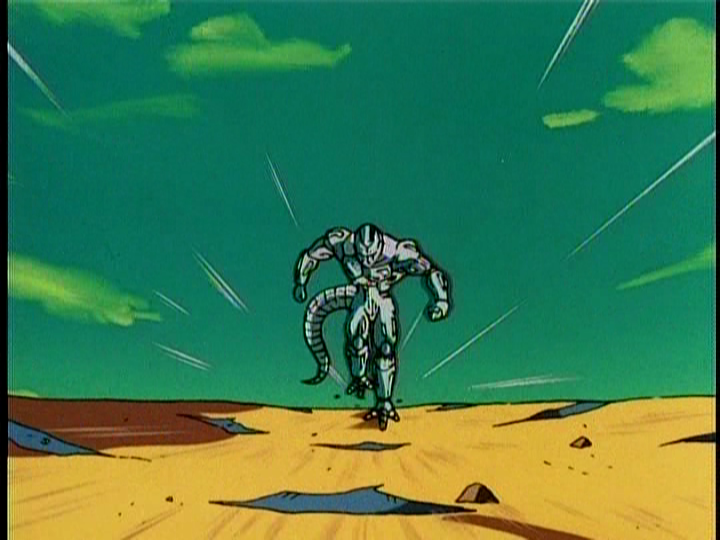
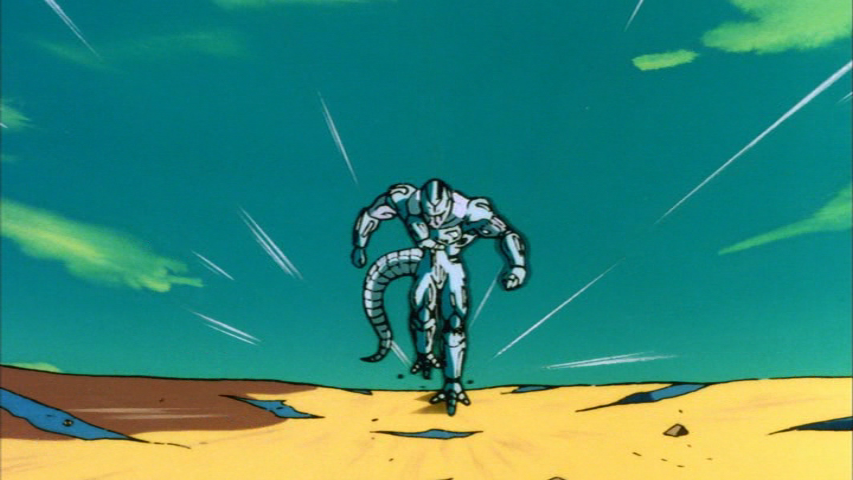
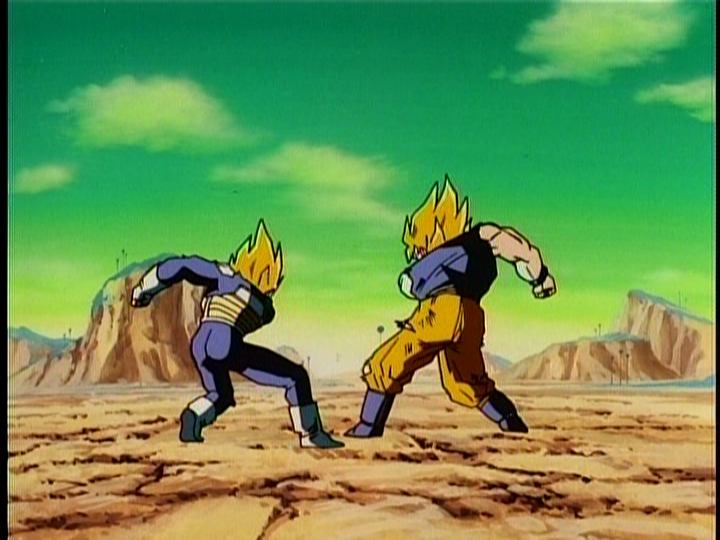
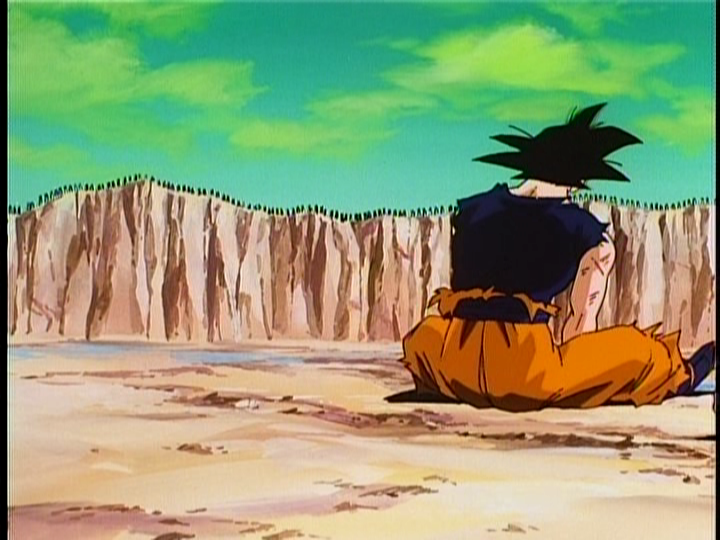
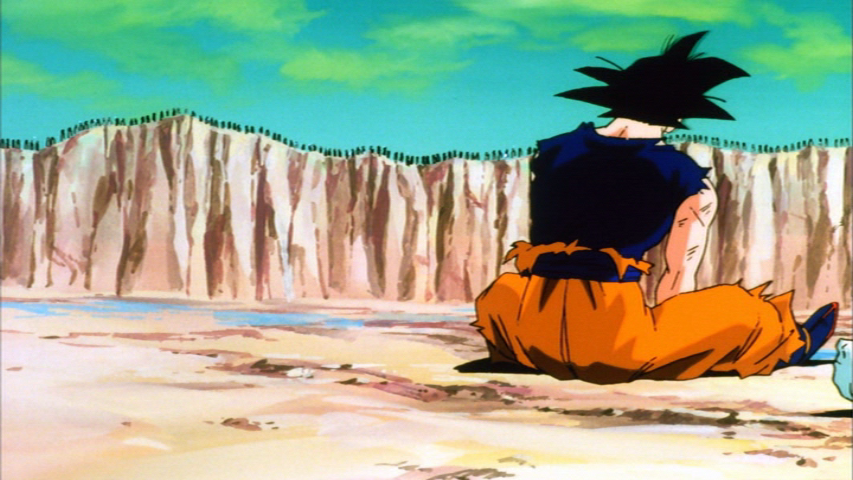
Basically, the most noticeable artifacting comes from altering the hue too much. Sometimes it appears to be needed, but the problem is you'll have some cut-off. The boundary between which-color-was-altered and which-color-hasn't becomes visibly noticeable. Take the green sky far example in either movie 6 or the Goku vs. Vegeta fight. Push the green sky to blue and you get green-blue boundaries, like the following:

Click to enlarge:
ImageImage

or

ImageImage

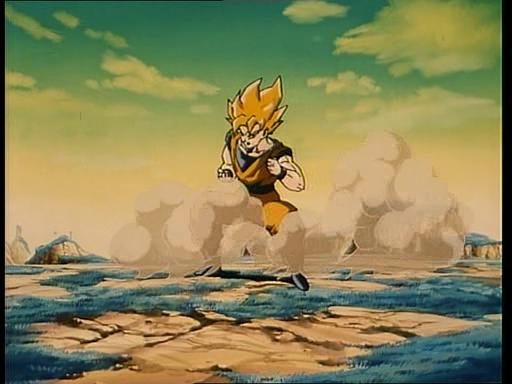
In the shot we have a similar cel animation from, if you try to include the yellow-ish part of the sky in the hue change, you change all yellows (and it's not the yellow we really need to change, just the boundary). The solution is easy enough. I just manually create a gradient (several lines of code, each altering the hue by less and less across the color ranges needed until the artificial color border is visibly gone). I may have touched Goku's yellow a bit... so it needs just a bit of tweaking before I post any code for individuals.

There results are as follows:

ImageImageImage

and

ImageImageImage

So far, I see zero artifacts in any scene and the colors appear closer to what the fans/we think the colors should be based on past releases.

I'd like to post some other screen shots from this movie and get more eyes on it and if we can get anyone to post comparison screens from other DVD releases, I'd be grateful just to see if we need to alter the color a bit more or less. Look for the extra screenshots later on and I want to try this same technique on the Goku v Vegeta fight green sky and see if I can solve the problems mentioned a few pages ago.

If I can, I'll upload a small clip to YouTube later tonight so everyone can see what I mean about the artifacting in motion (it's tough to see sometimes the real effect from still shots)
ect5150
Better to keep your mouth shut and appear stupid than to open it and remove all doubt.
DB DBox color corrections & DBox color corrections.

User avatar
ect5150
Advanced Regular
Posts: 1063
Joined: Fri Sep 15, 2006 9:17 pm
Location: Tenkaichi Tournament Grounds

Re: Color Correcting the Dragon Box - 3 Part Spectacular

Post by ect5150 » Tue Oct 16, 2012 9:36 am

Here is the video comparison I mentioned.

http://www.mediafire.com/REMOVEdownload ... 3u32n7kahi

You'll need to get rid of the work REMOVE for it to work though. Every time I put up a comparison clip, it gets taken down. The only place I've ever posted links are in this forum, so it's either a bot or someone actively doing it - which I can't really stand since there are entire YouTube channels that post entire episodes uncut and I'm just posting a small semi-educational video for the fans --- whatever!

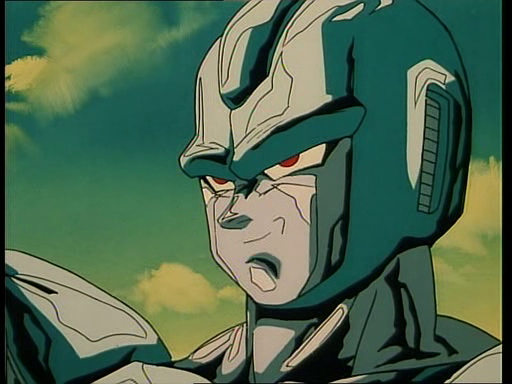
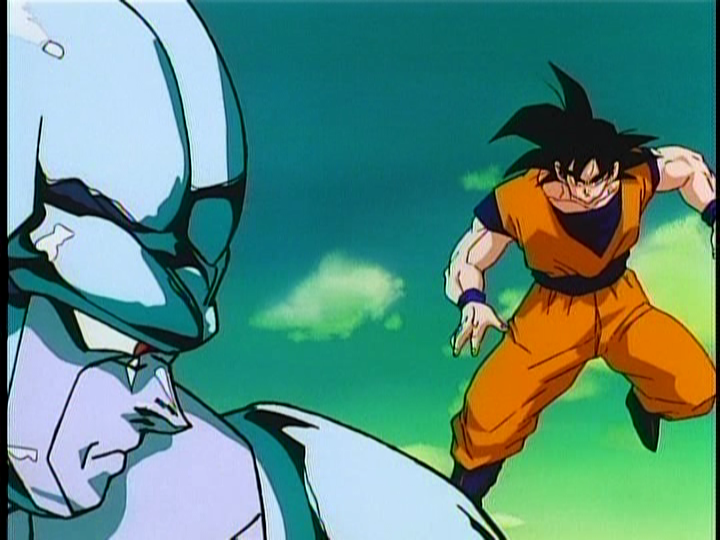
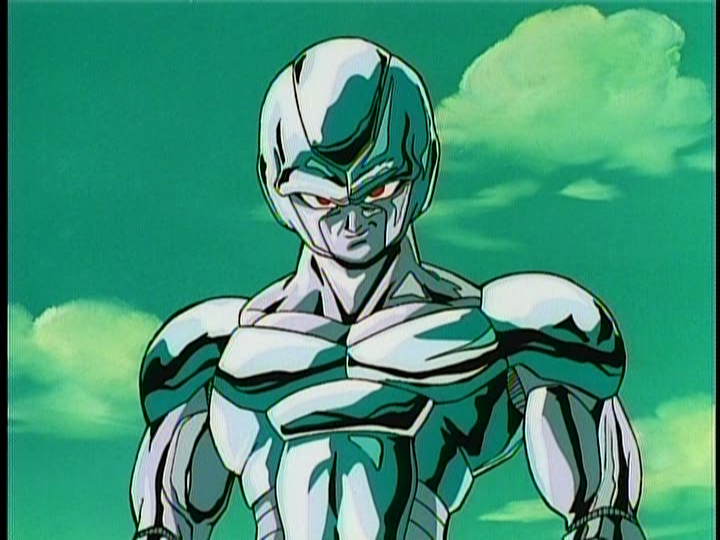
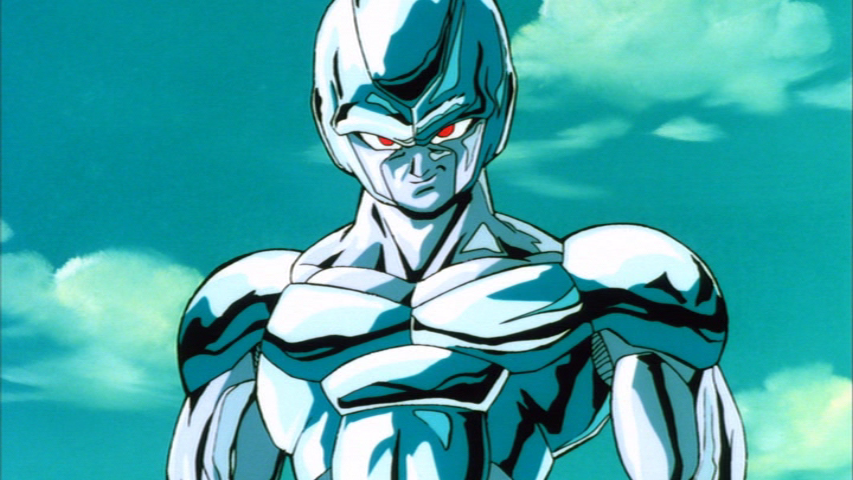
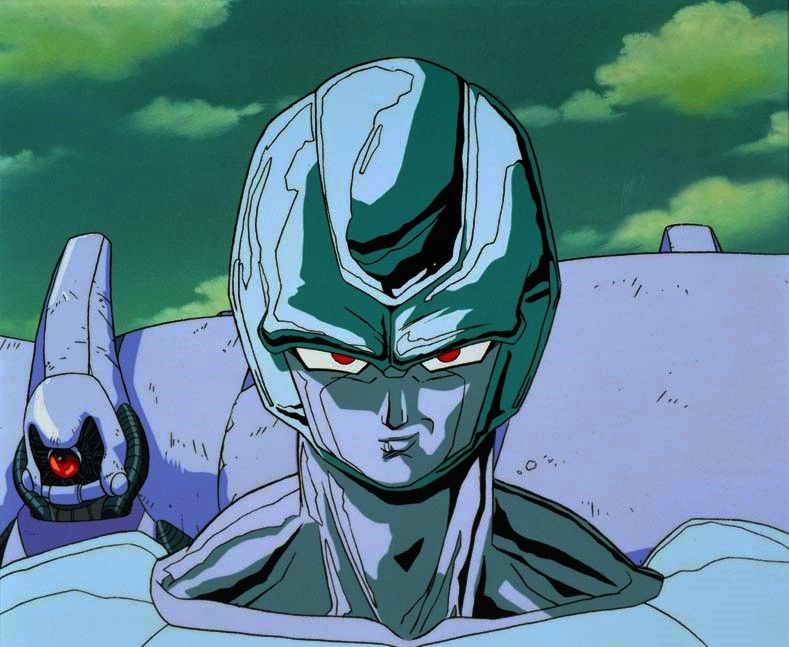
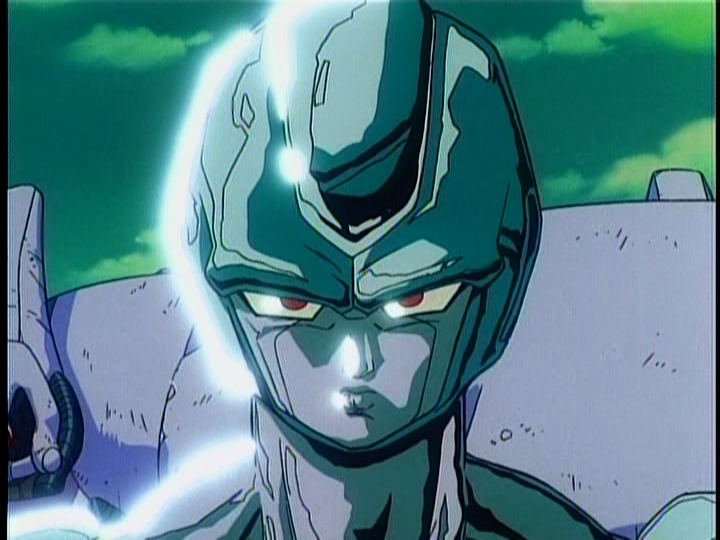
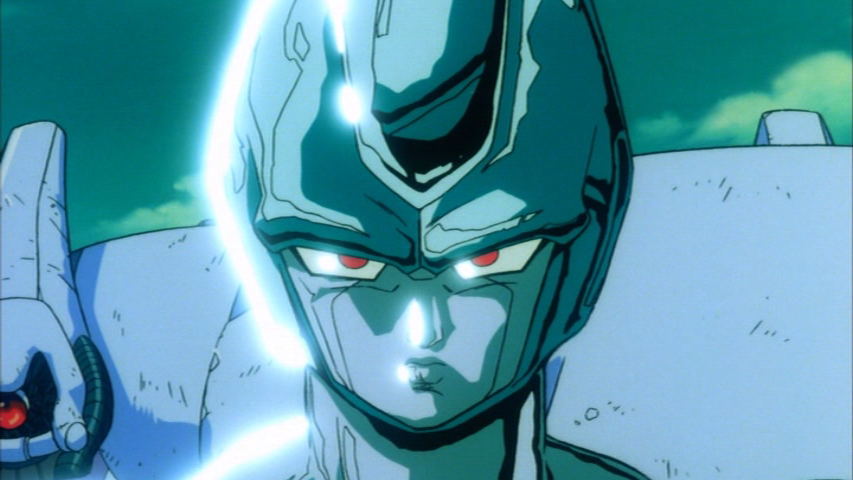
The bottom portion of the clip is completely unedited. The top has gone through the color cast removal (which was actually minimal on this movie. There wasn't much extra color overall. But then I've altered the green Cooler and Green skys to a much heavier blue using my altered technique to minimize the artifacting the first part of the guide would generate.

Anyone have some FUNI dvd screens of some of the same scenes?

EDIT:

Here is a quick screen grab (click to enlarge).

Image
I based the colors on what I remember from the old fansub days and some FUNI clips on YouTube, even though the quality was horrible.
ect5150
Better to keep your mouth shut and appear stupid than to open it and remove all doubt.
DB DBox color corrections & DBox color corrections.

AnimeMaakuo
Advanced Regular
Posts: 1462
Joined: Sun Aug 15, 2010 10:10 pm

.
Post by AnimeMaakuo » Tue Oct 16, 2012 12:06 pm

.
Last edited by AnimeMaakuo on Fri Jul 26, 2013 1:28 pm, edited 3 times in total.
My YouTube

Soppa Saiyjins from Dorgou Ballru Zetto is my favorite transformation everah, especially when Trounksoru did it in front of Seru and when Bejita did it when he faced Jingonigen-hachigo. But for real, I use the FUNi pronunciation. - Soppa Saia People

User avatar
DBZGTKOSDH
Namekian Warrior
Posts: 12401
Joined: Sat Jul 02, 2011 7:45 pm
Location: Greece

Re: Color Correcting the Dragon Box - 3 Part Spectacular

Post by DBZGTKOSDH » Tue Oct 16, 2012 12:09 pm

... (New) Namek's sky is green, why did you make it blue, like the Earth's? :?
James Teal (Animerica 1996) wrote:When you think about it, there are a number of similarities between the Chinese-inspired Son Goku and that most American of superhero icons, Superman. Both are aliens sent to Earth shortly after birth to escape the destruction of their homeworlds; both possess super-strength, flight, super-speed, heightened senses and the ability to cast energy blasts. But the crucial difference between them lies not only in how they view the world, but in how the world views them.

Superman is, and always has been, a symbol for truth, justice, and upstanding moral fortitude–a role model and leader as much as a fighter. The more down-to-earth Goku has no illusions about being responsible for maintaining social order, or for setting some kind of moral example for the entire world. Goku is simply a martial artist who’s devoted his life toward perfecting his fighting skills and other abilities. Though never shy about risking his life to save either one person or the entire world, he just doesn’t believe that the balance of the world rests in any way on his shoulders, and he has no need to shape any part of it in his image. Goku is an idealist, and believes that there is some good in everyone, but he is unconcerned with the big picture of the world…unless it has to do with some kind of fight. Politics, society, law and order don’t have much bearing on his life, but he’s a man who knows right from wrong.

User avatar
ect5150
Advanced Regular
Posts: 1063
Joined: Fri Sep 15, 2006 9:17 pm
Location: Tenkaichi Tournament Grounds

Re: Color Correcting the Dragon Box - 3 Part Spectacular

Post by ect5150 » Tue Oct 16, 2012 12:41 pm

DBZGTKOSDH wrote:... (New) Namek's sky is green, why did you make it blue, like the Earth's? :?
Because it's that way in the FUNI release:

ImageImage
Click to enlarge the crappy YouTube clip.

As pointed out in the animation cel, Cooler's metal color and the sky are primarily in the same hue range. To change one is to the change the other. The sky (unaltered) appears as various shades of green through the film... some lighter and some darker. But to change Cooler to the blueish metal that many people remember is to alter the sky as well. I don't have my old fan sub handy to show, but this is why I asked for screen shots of other sources.
ect5150
Better to keep your mouth shut and appear stupid than to open it and remove all doubt.
DB DBox color corrections & DBox color corrections.

User avatar
eledoremassis02
I Live Here
Posts: 4204
Joined: Sat Oct 22, 2011 5:40 pm

Re: Color Correcting the Dragon Box - 3 Part Spectacular

Post by eledoremassis02 » Tue Oct 16, 2012 1:49 pm

here some big green screen shots
Image
Image
Image

User avatar
Metalwario64
Born 'n Bred Here
Posts: 6256
Joined: Thu Feb 07, 2008 1:02 am
Location: Namek

Re: Color Correcting the Dragon Box - 3 Part Spectacular

Post by Metalwario64 » Tue Oct 16, 2012 3:15 pm

ect5150 wrote:Anyone have some FUNI dvd screens of some of the same scenes?
Sure thing:

Single DVD:
Image

Double Feature:
Image

DBox/Correction:
Image


Single DVD:
Image

Double Feature:
Image

DBox/Correction:
Image


Single DVD:
Image

Double Feature:
Image

DBox/Correction:
Image


Single DVD:
Image

Double Feature:
Image

DBox/Correction:
Image


Single DVD:
Image

Double Feature:
Image

DBox/Correction:
Image


Single DVD:
Image

Double Feature:
Image

DBox/Correction:
Image


Single DVD:
Image

Double Feature:
Image

DBox/Correction:
Image
_______________________________________________________________________________________________

Your corrections are a little more blue than the Double Feature DVDs, which had are the most blue, and way more blue than the FUNimation single DVDs. I think you should aim more for the single DVD footage, which is pretty close to the cels' sky color, only slightly more blue.
"Kenshi is sitting down right now drawing his mutated spaghetti monsters thinking he's the shit..."--Neptune Kai
"90% of you here don't even know what you're talking about (there are a few that do). But the things you say about these releases are nonsense and just plain dumb. Like you Metalwario64"--final_flash

User avatar
ect5150
Advanced Regular
Posts: 1063
Joined: Fri Sep 15, 2006 9:17 pm
Location: Tenkaichi Tournament Grounds

Re: Color Correcting the Dragon Box - 3 Part Spectacular

Post by ect5150 » Tue Oct 16, 2012 4:29 pm

Metalwario64 wrote: Your corrections are a little more blue than the Double Feature DVDs, which had are the most blue, and way more blue than the FUNimation single DVDs. I think you should aim more for the single DVD footage, which is pretty close to the cels' sky color, only slightly more blue.
Thanks for the screens. Compared to the double features, my hue value was only off by 4 (out of 360, so it wasn't bad for just eyeballing it... I"m also of the opinion a difference of 4 in the hue isn't really noticeable at 30 frames per second). I did a quick conversion for one screen shot and adjusted the hues to match (I'm using Cooler's forehead as the matching area... both version below have the same hue in the forehead). I know I need to work on the clouds a bit, but I was waiting for some screens to verify. The color of the coulds being off is more a function of the rate of which my gradient smooths the hue changes. I'll just need to increase/decrease the rate of the change to fix that.

Image
Image

That screen have the same hue as the screen you posted from the double feature. The remaining differences are brightness, saturation and contrast... which I prefer not to mess with.

It's funny how FUNI's singles are green-ish, but the double features are blue-ish.
ect5150
Better to keep your mouth shut and appear stupid than to open it and remove all doubt.
DB DBox color corrections & DBox color corrections.

User avatar
Metalwario64
Born 'n Bred Here
Posts: 6256
Joined: Thu Feb 07, 2008 1:02 am
Location: Namek

Re: Color Correcting the Dragon Box - 3 Part Spectacular

Post by Metalwario64 » Tue Oct 16, 2012 5:41 pm

Thing is, the Double Features are noticeably more blue than the cels, so they aren't a good frame of reference, unless you're just using it as an example of your gradient technique.

Here's another cel from Amazon:
Image

Here's the single DVD shot:
Image

Here's the Double Feature shot:
Image

And here's the cel with boosted contrast and saturation to match FUNimation's footage:
Image

The sky is a bit greener than the FUNi single DVD, which is also a bit greener (usually more, but in this case just a bit) than the Double Feature footage. It's especially worth mentioning that the blue in the Double Features is definitely through FUNimation's (or Texas Post & Transfer if they did this one) tampering.

They simply upped the blue RGB levels which makes everything look more blue. Light browns and yellows now look washed out, sometimes even skin looks bluish, and noticeable in this comparison is that the purple robots in the backgrounds, which are purple in both the cels and the single DVD footage, are blue in the Double Feature footage.
"Kenshi is sitting down right now drawing his mutated spaghetti monsters thinking he's the shit..."--Neptune Kai
"90% of you here don't even know what you're talking about (there are a few that do). But the things you say about these releases are nonsense and just plain dumb. Like you Metalwario64"--final_flash

User avatar
ect5150
Advanced Regular
Posts: 1063
Joined: Fri Sep 15, 2006 9:17 pm
Location: Tenkaichi Tournament Grounds

Re: Color Correcting the Dragon Box - 3 Part Spectacular

Post by ect5150 » Tue Oct 16, 2012 6:06 pm

Metalwario64 wrote:Here's another cel from Amazon:
Image
That's an excellent quality shot. Plus it's a nice midpoint between all of the colors between all of the versions. I'll try and target that later tonight when I get a chance.

The gradient is tricky as to get it perfect, I need many screenshots (getting the hues right in one still can mean artifacts in others, so I have to know where the gradient starts and at what rate to return the neighboring colors to the original colors to eliminate them.
ect5150
Better to keep your mouth shut and appear stupid than to open it and remove all doubt.
DB DBox color corrections & DBox color corrections.

User avatar
takarajima
Beyond Newbie
Posts: 110
Joined: Thu Mar 17, 2011 11:25 pm

Re: Color Correcting the Dragon Box - 3 Part Spectacular

Post by takarajima » Tue Oct 16, 2012 6:37 pm

諸行無常・・・・・・・
Last edited by takarajima on Mon Jun 09, 2014 10:15 pm, edited 1 time in total.

User avatar
Raykugen
Regular
Posts: 665
Joined: Tue May 03, 2011 2:15 pm
Location: Spain
Contact:

Re: Color Correcting the Dragon Box - 3 Part Spectacular

Post by Raykugen » Tue Oct 16, 2012 7:45 pm

Namek sky is green, it has nosense if it is blue
Do you want NEW GENERATION DRAGON BALL (Z, GT..) IMAGES? In HQ? Of all characters? Click here: http://daizex.fanboyreview.net/viewtopic.php?t=17178
My Deviantart: http://raykugen.deviantart.com/
Dragon Ball Characters Project Deviantart: http://dbcproject.deviantart.com/

User avatar
Metalwario64
Born 'n Bred Here
Posts: 6256
Joined: Thu Feb 07, 2008 1:02 am
Location: Namek

Re: Color Correcting the Dragon Box - 3 Part Spectacular

Post by Metalwario64 » Tue Oct 16, 2012 8:54 pm

ect5150 wrote:I'll try and target that later tonight when I get a chance.
Nice. Also, I'm curious as to how the blue Earth sky looks at the beginning of the film on the Dragon Boxes, and if it's green whether it has any effect on Namek's sky when you try to correct it.

Here's a FUNimation single DVD shot for reference:
Image
"Kenshi is sitting down right now drawing his mutated spaghetti monsters thinking he's the shit..."--Neptune Kai
"90% of you here don't even know what you're talking about (there are a few that do). But the things you say about these releases are nonsense and just plain dumb. Like you Metalwario64"--final_flash

User avatar
ect5150
Advanced Regular
Posts: 1063
Joined: Fri Sep 15, 2006 9:17 pm
Location: Tenkaichi Tournament Grounds

Re: Color Correcting the Dragon Box - 3 Part Spectacular

Post by ect5150 » Tue Oct 16, 2012 9:27 pm

Ok... targeting the hue of the posted animation cel yields the following results (even though its looks more like the DVDs, it is the same hue, but I think it's look nicer now).

These are all PNG's, so to save everyone bandwidth, click to enlarge:

ImageImageImageImage

And for fun, I just desaturated my script to compare to the VHS screens.
Image
Image

Also, a few screens on earth's blue sky as requested in several versions--

Original DVD screenshot--
Image

Screenshot with color cast removed as described in the first few posts of this thread--
Image

Then further through my own script (which doesn't appear to really be altered since I'm targeting a different color/hue -- glancing really fast at all three look the same, I'd have to stare to see the color cast removed here)--
Image

It's odd how the blue earth sky is no where near the same blue level as the screen posted earlier.

I want to smooth my gradient just a bit for the final version, but I'm feeling pretty good about the colors this time around-- feedback?
ect5150
Better to keep your mouth shut and appear stupid than to open it and remove all doubt.
DB DBox color corrections & DBox color corrections.

User avatar
Corpsecreate
Beyond Newbie
Posts: 235
Joined: Tue Sep 13, 2011 7:23 am

Re: Color Correcting the Dragon Box - 3 Part Spectacular

Post by Corpsecreate » Wed Dec 19, 2012 9:53 pm

So I have now completely corrected the entire Z series. I have a collection of 100 .png files for those that want to see some before/after shots.

NOTE: I also did some filtering (grain removal, sharpening etc)

http://www.mediafire.com/?y79gqpnabpb7b4e

Let me know what you think on the filtering and/or the colours.

User avatar
eledoremassis02
I Live Here
Posts: 4204
Joined: Sat Oct 22, 2011 5:40 pm

Re: Color Correcting the Dragon Box - 3 Part Spectacular

Post by eledoremassis02 » Wed Dec 19, 2012 10:55 pm

fantastic job! You should have remastered Kai for TOEI :)

superrayman3
OMG CRAZY REGEN
Posts: 862
Joined: Thu Oct 13, 2011 10:29 am
Location: West Virginia USA

Re: Color Correcting the Dragon Box - 3 Part Spectacular

Post by superrayman3 » Wed Dec 19, 2012 11:25 pm

I'm impressed Corpsecreate that's some of the best color correction I've seen in this thread yet.
If anyone has any of the DB/DBZ/DBGT or Maho Tsuaki Sally Japanese single DVD's that they'd be interested in selling send me a PM and I'll see if we can work something out. ;).

Locked